
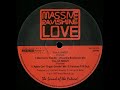
Label: Virgin Records America Inc.
Catalog number: VUSTX98
Format: 12" Vinyl
Country: UK
Released: 1995
Tracklisting :
1. Whadda U Want (From Me) (Frankie's Tittieknocker Mix) (12:40)
2. Whadda U Want (From Me) (Frankie's Classic Dub) (5:25)
3. Whadda U Want (From Me) (Frankie's Deep Dub) (9:15)
4. Whadda U Want (From Me) (K-Klass Pharmacy Dub) (7:58)
Produced by Frankie Knuckles and Danny Madden
Vocals by Adeva
Track 1, 2, 3 Remixed by Frankie Knuckles
Track 4 Remixed by K-Klass




19 comments:
:-)
First one from your vinyl collection, then ?
Great start !
Thanks !
nice start!!
@jactarus : Yes! The first one from my vinyl collection :-)
@House of Dj Ivan : Mmmm... I don't know. It's the first time I ripped vinyl. Not so familiar with the new turntable and program yet. I thought it was 192kbps :-(
What USB Turntable did you buy. I like the quality of the rips.
Obviously when you get the time it would be nice to have them in 192kbps.
:)
I use Numark PT-01USB. It's the only style I saw here.
Is the quality that bad?
Hi Goff, the rips are fine for me even at 160kbps. But then i'm only playing them on my laptop.
I'll have to check the TT you're using. I'm quite impressed with the quality personally.
Hi there...
No problemas for 160kbps RIPS, but mono really sucks. This rip is in mono. Please, re-do...
Regards!
Sad news....
Unfortunately, I cannot change the setting to 192kbps as I use Windows OS. Only Mac user can change the setting in iTunes :-(
As for mono / stereo, how could I check? Please let me know... It automatically rip and transfer file by using their software. I did not set it..
Hi Goff!
2cnd time I see someone with mono/stereo issue.
Hope U find how to solve the problem soon.
Hi Goff, if i'm right then you're using iTunes software to rip & transfer?
Check the edit option in iTunes then preferances. Go to the advanced tab. Importing tab is next, check the setting option & check to see if channels is on auto & not mono.
Isn't possible to RIP with another pieace of software (Soung forge, etc...)???
More simple, more advanced RIP, more options (incl. 320kbps MP3)...
Regards!
@Mark : The program that I used is "EZ Vinyl Converter" which comes with turntable. It will automatically export to iTunes once the rip is done. I have already checked iTunes and the channel is auto :-(
Goff, did you get a manual with the software. I've never used it myself, so i'm not familiar with it.
I'm sure their must be a settings option in the software to change it from default mode.
Good luck!
Yes, I have the manual with me. It just shows how to export music. There is no setting options at all. We have to change it from iTunes only.
Email me and I'll send you the screen shot.
http://www.scribd.com/doc/7681584/Convert-Vinyl-to-CD
Scroll down and you'll find this:
"Windows XP and Windows Vista both recognize the turntable as an audio
recording device automatically. Windows Vista users have one additional step prior to
recording. You need to open the Control Panel > Hardware and Sound option, choose
Manage Audio Devices and set the default format for the microphone USB Audio
CODEC to 2 channel, 16 bit, 44100 Hz (CD Quality) on the advanced tab of the
Properties dialog box. This last bit is necessary to make sure you are recording in
stereo, not mono."
Good luck!
Thanks! But I use Windows XP. Can you please advise how to change CODEC to 2 channel, 16 bit, 44100 Hz (CD Quality)?
Hmm... shouldn't be necessary when you use XP. The problem is probably found within iTunes or the software you use for ripping (iTunes is not the best choice when on PC, it works better with Mac).
Try another software for ripping your vinyls (Audacity for instance) to see if the problem remains the same.
Btw, when using EZ Vinyl Converter you may choose between wav or mp3. Simply convert the wav to the bitrate in mp3 you wish (320 kbps or V0 mostly wanted).
Good luck!
yeah, the mono rips are a big disappointment, as those USB turntables are often total crap to do decent rips. iTunes is not either adapted for this.
You could use Adobe Audition or Audacity (free). I do my vinyl ripping on a Technics 1210 mk2 with Pioneer DJM600 mixer, over a 24bit AD convertor by optical cable into my ext Terratec DMX6 external soundcard, crystal clear rips in STEREO :)
I found on the web at least 2 tracks in decent stereo (not my own rips, but they do sound better than the ones posted here!)
http://www43.zippyshare.com/v/33403164/file.html
http://www43.zippyshare.com/v/76118824/file.html
I use that exact same Numark USB turntable and my rips always come out really good (I'm a Mac user)...my only problem is the fact that mine skips quite a bit! But when it doesn't, it's awesome. In fact I ripped this Dannii Minogue Murk remix directly from the vinyl onto the Numark and I think it came out great....I put it on youtube.... http://www.youtube.com/watch?v=Cy727iHXlwk
Post a Comment